4 min read

VoicePlug’s conversational AI now integrated with Qu to enable intuitive voice ordering across phones and drive-thrus.Palo Alto, CA…
Learn More
Restaurant operators have automated nearly every part of their business in the past decade. Online ordering. Kitchen display systems. Scheduling. Inventory management. Digital loyalty programmes.
The phone has been the exception.
In most restaurants, every inbound call is still handled the same way it was in 2005: a staff member picks up, takes the order by hand or memory, walks to the POS, re-enters it, and returns to service. During a quiet Tuesday afternoon, this is manageable. During a Friday dinner rush when the team is also running tables and managing a full kitchen, it breaks down, and when it breaks down, the restaurant loses revenue it can’t measure, because missed calls leave no record.
Restaurant phone automation is the category of technology that addresses this gap. This guide covers what it is, how it works across different restaurant types, what operators are seeing from deployed systems, and how to evaluate and implement it at your operation.
Restaurant phone automation refers to AI-powered systems that handle inbound restaurant phone calls without staff involvement. The system answers the call, conducts the interaction in natural voice conversation, and routes the outcome, an order, a reservation, an enquiry response, to the appropriate system without a human managing the transaction.
Modern restaurant phone automation covers three primary call types:
The AI answers inbound calls from customers placing takeout or delivery orders. It takes the full order, including modifications, upsells, and special requests, and submits the confirmed order directly to the restaurant’s POS as a standard kitchen ticket. No manual re-entry. No order errors from transcription. No staff involvement during the call.
The AI handles inbound reservation calls, checks live availability against the booking calendar, captures guest details and special requests, confirms the booking, sends a guest confirmation, and syncs the reservation to the booking platform, such as OpenTable, in real time. The system operates 24/7, including outside service hours.
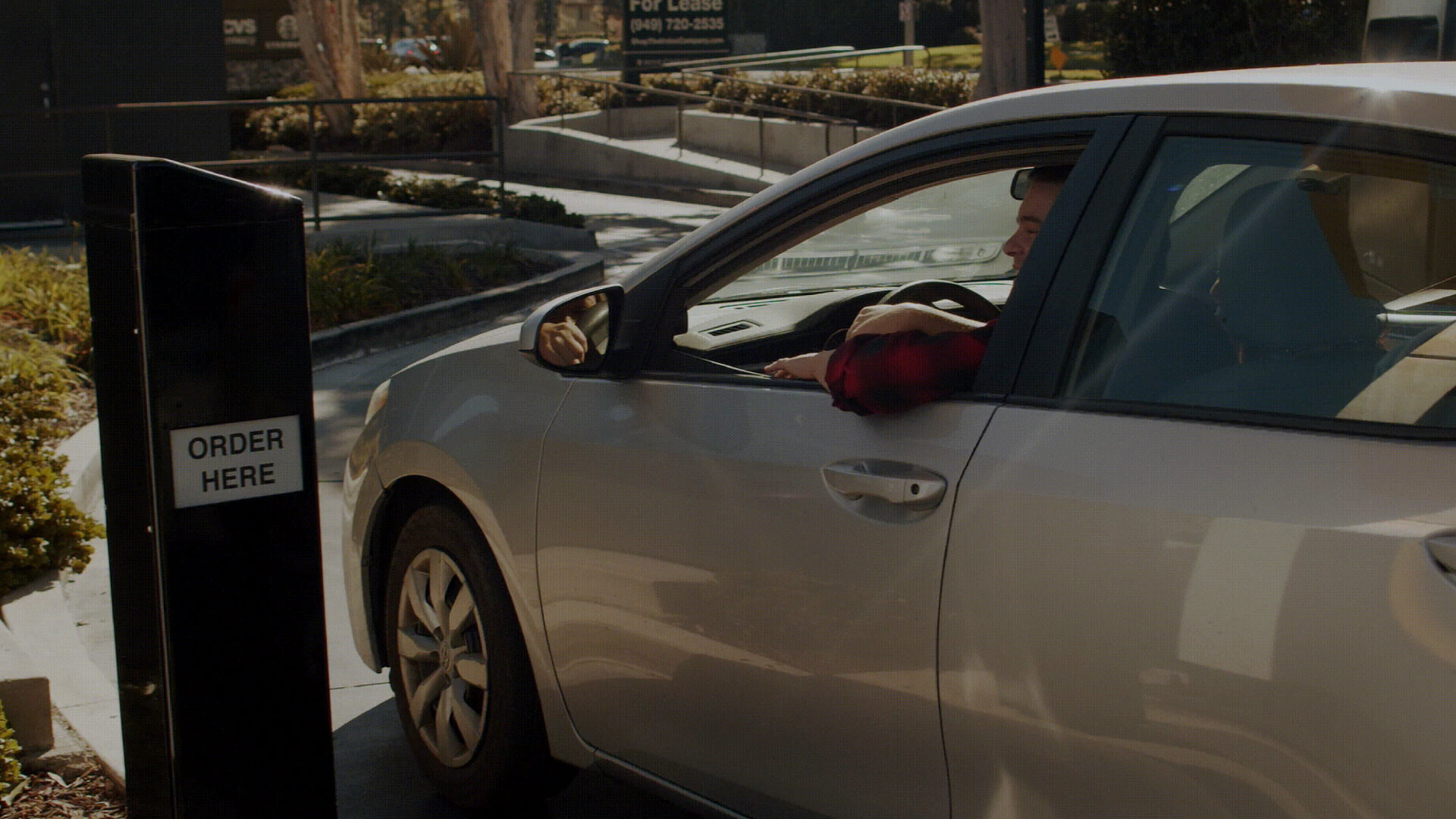
For QSR and fast-casual operators with drive-thru lanes, the AI handles the speaker interaction, greeting the customer, taking the order, upselling, confirming, and routing the ticket to the kitchen, without staff managing the speaker. This covers simultaneous lanes and operates consistently regardless of service volume.
These three channels can operate independently or as part of an integrated AI phone suite. Most operators begin with the channel representing the highest call volume at their operation, typically phone ordering, and expand from there.
Before evaluating phone automation, it helps to understand what the current manual approach costs. Most operators have a rough sense that they miss calls during peak service, but without a system tracking every inbound call, the actual cost is invisible.
Here is the calculation for a restaurant losing 20–30% of peak-hour calls to voicemail or unanswered rings:
$40 average order value × 10 missed calls per peak night × 2 peak nights per week × 52 weeks = $41,600 per location per year
That’s from missed calls alone, before accounting for the customer who called twice, got voicemail both times, and never ordered again. Before the reservation enquiry that went to voicemail on a Sunday evening and was already confirmed at another restaurant by Monday morning.
A missed call doesn’t generate a missed call report. It generates nothing, no record, no notification, no data trail. The only way to see it is to deploy a system that starts tracking every inbound call. Until then, it’s invisible.
Beyond the revenue cost, manual phone management has a labour cost that’s rarely calculated separately. A staff member who answers the phone during peak service is not serving guests, managing the floor, or supporting the kitchen. The phone is the most disruptive element in most restaurant dining rooms during service, and its cost is absorbed into general labour without being measured.
Restaurant phone automation systems use conversational AI, natural language processing models trained on restaurant-specific vocabulary, menu structures, and ordering patterns, to handle inbound calls in natural spoken conversation.
The core technology chain is:
The full interaction, from call answer to order submission, typically completes in under two minutes for standard orders. More complex interactions take longer, but the customer’s time on the phone is not materially different from a well-handled human interaction.
When evaluating restaurant phone automation, these are the components that determine whether a system delivers operational value:
The system must connect directly to the restaurant’s POS via the official API. Orders should appear in the POS and kitchen display as standard tickets, not in a separate system that requires manual transfer or staff cross-referencing. For operators on Toast, Square, Clover, Aloha, or other major platforms, this means verifying the system has a genuine, direct integration, not a middleware workaround.
The AI’s ordering flow must reflect the live menu, including 86’d items, current pricing, active modifiers, and available customisations. A menu that drifts from the current POS state will offer customers items the kitchen can’t produce and fail to offer items the kitchen can. The sync should be real-time, not a scheduled daily update.
Restaurants with complex menus, build-your-own options, half-and-half configurations, multi-level modifier trees, require AI that handles the full modifier depth. Surface-level integrations that only sync item names and prices will generate kitchen tickets that don’t match what the customer ordered.
One of the most measurable outcomes of restaurant phone automation is check size improvement, driven by consistent upselling on every call. A well-configured AI suggests relevant add-ons at the right point in the ordering conversation, every time, without the variation that characterises human upselling during busy service. The upsell logic should be configurable by the operator, which items to suggest, at which point, with what prominence.
Call volume, answer rate, conversion rate, average order value, upsell acceptance, and abandonment rate should all be visible in a dedicated dashboard, per location, per shift, per time period. This data is typically unavailable to restaurants operating a manual phone channel, making the analytics dashboard one of the most practically useful features of phone automation for operators who want to understand their inbound call behaviour.
For operators with more than one location, the system should support centralised menu management, changes made at the account level that propagate to all locations, alongside per-location customisation for items and pricing that vary by site. The deployment process for additional locations should be significantly faster than the first, since the foundational setup carries over.
For operators who have decided to deploy phone automation, the implementation sequence is consistent across most systems:
Step 1, POS connection. The AI system connects to the restaurant’s POS via the API. For Toast, Square, Clover, and other major platforms, this is typically an OAuth authorisation that takes minutes, not days. The connection gives the system access to the menu and the ability to submit orders.
Step 2, Menu sync and review. The current menu syncs from the POS to the AI ordering flow. This is the stage that most commonly requires review, particularly for restaurants with complex modifier structures, conditional item availability, or pricing rules that don’t follow the standard POS format. A thorough menu review at this stage prevents order accuracy issues after go-live.
Step 3, Ordering experience configuration. The AI’s greeting, upsell suggestions, pickup time logic, and order confirmation language are configured. This is also where operators set parameters for how the AI handles edge cases, items that are unavailable, requests it can’t process, escalations that should be handled by a human.
Step 4, Phone number forwarding. The restaurant’s inbound phone number is forwarded to the AI system. From this point, every call is answered by the AI. This step is typically instant, a call forwarding configuration in the phone service account, and can be reversed immediately if needed.
Step 5, Live monitoring. The first week of live operation is the most important review period. Call volume, conversion rate, order accuracy, and any interactions where the AI encountered an edge case should all be reviewed. Most issues identified in week one are menu configuration adjustments, not systemic problems with the AI.
For most single-location restaurants on a major POS platform, this process completes within one week. Multi-location operators rolling out to additional sites after the first location typically complete each subsequent deployment in one to two days.
The most useful data for operators evaluating phone automation comes from restaurants already running it. Here are the documented results from three VOICEplug deployments across different restaurant categories:
19 locations across California. After deploying VOICEplug Phone AI, phone order conversion went from 62–81% during peak service to 94.5%, recovering calls that were previously going unanswered or abandoned. Average check sizes increased 12–25% from consistent AI upselling on every call. Staff on phones during the Friday dinner rush: zero. The full deployment story is covered in the Rusty’s Pizza case study.
4 locations in Fort Wayne, Indiana. VOICEplug Drive-Thru AI deployed across all four locations simultaneously. 4,700+ drive-thru interactions handled across the estate. 94-second average order completion time from greeting to kitchen confirmation. All four sites went live within two weeks of the first location’s deployment.
4 locations in the Dallas-Fort Worth metroplex. Taco’s El 24 operates 24 hours a day, seven days a week. VOICEplug Drive-Thru AI handles every speaker interaction at all DFW drive-thru locations around the clock, noon and 2am with the same consistency. 5,000+ monthly interactions. 87-second average order completion.
Across all three deployments, the consistent outcomes are: higher call or interaction capture rate, improved average order value from systematic upselling, and staff redeployment away from phone and speaker duties during peak service.
The application of phone automation varies by restaurant category. Here’s how the technology maps to different operation types:
The primary use case is drive-thru automation and phone ordering for takeout. QSR operators see the most immediate impact from drive-thru AI, removing the staffing dependency from the speaker lane, handling simultaneous drive-thru queues, and delivering consistent upselling on every transaction. Phone AI handles takeout orders through the same integrated POS connection.
Pizza operations have specific complexity requirements: half-and-half configurations, custom build options, delivery versus pickup handling, and group orders with multiple items. PizzaVOICE, VOICEplug’s pizza-specific AI, is built for this ordering environment, handling the modifier depth that pizza ordering requires and integrating with major pizza POS platforms.
For full-service restaurants, reservation automation alongside phone ordering captures both booking calls and takeout order calls. VOICEplug ReserveVOICE handles reservation calls 24/7, syncing confirmed bookings to OpenTable and other platforms in real time. This is particularly valuable for restaurants with significant private dining or event business, where reservation calls come at irregular hours and require accurate detail capture.
For operators managing multiple locations, the scalability of phone automation is the primary value driver. Consistent service quality across every location, the same greeting, the same upsell logic, the same accuracy standards, regardless of staffing variation or location performance. Centralised menu management means a promotion or item change made at the account level applies immediately across all sites.
Online ordering and phone automation serve different customer segments. Digital ordering captures guests who choose to order online. Phone automation captures guests who call, a segment that persists regardless of digital ordering availability. For most restaurants, deploying online ordering does not meaningfully reduce phone order volume. The two channels address different customer behaviours and operate independently.
Customers interact with the AI in natural conversation. Many complete orders without identifying the interaction as AI-handled. Whether that matters depends on the operator’s perspective, but the data point that matters more is whether the customer’s order was taken accurately and whether they completed the transaction. At Rusty’s Pizza, the 94.5% conversion rate represents customers completing their order, not customers asking who they’re speaking to.
Every restaurant phone automation system should have a defined escalation path for interactions outside its capability, catering enquiries, complex complaints, requests that require a human decision. These interactions should be routed to a staff member rather than dropped. The escalation logic is configured at setup and should be reviewed as part of the weekly monitoring in the first month of operation.
Operators typically see measurable results in the first week, call answer rate and conversion rate are visible immediately in the analytics dashboard. The revenue impact is calculable from the call data: missed calls recovered times average order value. Most operators see the system pay for itself within the first few months of deployment, though the exact timeline depends on call volume and average order value.
The phone has been the last manually managed channel in restaurant operations, not because it’s the hardest to automate, but because the technology only became reliable enough to deploy at scale within the past three years. That window is now. The restaurants that have deployed phone automation are seeing the results. The operators who haven’t yet are still losing revenue they can’t measure to calls they’re not answering.
If you want to understand what restaurant phone automation looks like for your specific operation, your POS, your menu, your call volume, a 15-minute walkthrough of VOICEplug covers the full system live, including a real order being taken and confirmed in your POS in real time.
Restaurant phone automation is the use of AI-powered systems to handle inbound restaurant phone calls without staff involvement. The technology covers three primary call types: phone order automation (AI takes food orders and routes them to the POS as standard kitchen tickets), reservation automation (AI handles booking calls, checks availability, confirms reservations, and syncs with booking platforms like OpenTable), and drive-thru automation (AI manages the speaker interaction from greeting to kitchen confirmation). The goal in all three cases is the same: every inbound call is answered immediately, every interaction completes accurately, and the outcome routes to the relevant restaurant system without manual staff involvement.
Restaurants automate phone orders by deploying an AI phone ordering system that integrates with their POS. The process: the AI system connects to the restaurant’s POS via the official API, syncs the live menu (items, modifiers, pricing, availability), and the restaurant’s inbound phone number is forwarded to the AI. When a customer calls, the AI answers immediately, takes the full order in natural voice conversation, submits the confirmed order to the POS as a standard kitchen ticket, and the call ends. The order appears in the POS and kitchen display exactly as a counter or online order. Staff are not involved in the phone transaction. Most restaurant POS platforms, including Toast, Square, Clover, and Aloha, support this integration via their official APIs.
The calculation for a restaurant losing 20–30% of inbound calls during peak service: $40 average order value × 10 missed calls per peak night × 2 peak nights per week × 52 weeks = $41,600 per location per year. This is a conservative estimate using a moderate call volume and does not account for repeat customers who called twice, received no answer, and chose a different restaurant permanently. The figure varies significantly based on average order value, call volume, and peak service intensity. Rusty’s Pizza, after deploying VOICEplug Phone AI across 19 California locations, recovered their unanswered peak-hour calls and saw phone order conversion go from 62–81% to 94.5%.
For most single-location restaurants on a major POS platform, restaurant phone automation deploys within one week from kickoff. The process involves connecting the AI to the POS via API (typically completed in under an hour), syncing and reviewing the menu (one to three days depending on menu complexity), configuring the ordering experience, and forwarding the inbound phone number to the AI. Multi-location operators deploying to additional sites after the first location typically complete each subsequent site in one to two days, since the foundational menu configuration and integration setup carries over.
Restaurant phone automation systems vary in their POS integration coverage. VOICEplug Phone AI integrates with 80+ POS systems, including Toast, Square, Clover, Aloha NCR, FoodTec, InTouch POS, Qu, SpeedLine, Revel, and others. When evaluating any phone automation system, operators should verify that the integration with their specific POS is a direct API connection, not a middleware workaround, and that the integration covers full modifier sync, not just item names and prices.
A properly configured restaurant phone automation system has a defined escalation path for interactions outside its capability, complex catering enquiries, complaints requiring human judgement, or requests the AI is not configured to handle. These interactions should be routed to a staff member (via call transfer) or captured as a callback request, not dropped. The escalation logic is configured at setup based on the restaurant’s specific requirements and reviewed during the initial monitoring period. Most routine order and reservation interactions do not require escalation, the escalation path is a safety mechanism for genuine edge cases.
The ROI of restaurant phone automation comes from three primary sources: recovered call revenue (calls that would have gone unanswered now complete as orders), increased average order value (consistent AI upselling on every call, versus inconsistent human upselling during busy service), and labour reallocation (staff previously managing phones during peak service can focus on in-restaurant operations). At Rusty’s Pizza, the documented results were 94.5% phone order conversion (from 62–81%), 12–25% higher average check sizes from AI upselling, and zero staff on phone duties during peak service. Most operators see measurable revenue improvement in the first week of deployment and full system payback within the first few months.

Jay Ruparel is a serial tech entrepreneur with a proven track record in building and scaling global technology-driven businesses. As the Co-Founder and CEO of VoicePlug Inc., he leverages his expertise in AI, machine learning, and digital transformation to drive innovation and growth. Jay is also the Co-Founder of Azure Knowledge Corporation and has received the EY Entrepreneur of the Year award. Outside of his professional endeavors, Jay mentors startups and serves as an advisor to various organizations.


VoicePlug’s conversational AI now integrated with Qu to enable intuitive voice ordering across phones and drive-thrus.Palo Alto, CA…
Learn More
In 2026, fast casual operators face the same hard realities every day: tight labor, high turnover, and packed…
Learn More
If you run a restaurant on Toast and you’ve gone looking for AI phone answering, you’ve already found…
Learn More
California restaurants are automating the phone channel faster than operators in most other states, and the reason isn’t…
Learn More